Cat Communication Buttons: Do They Really Work?
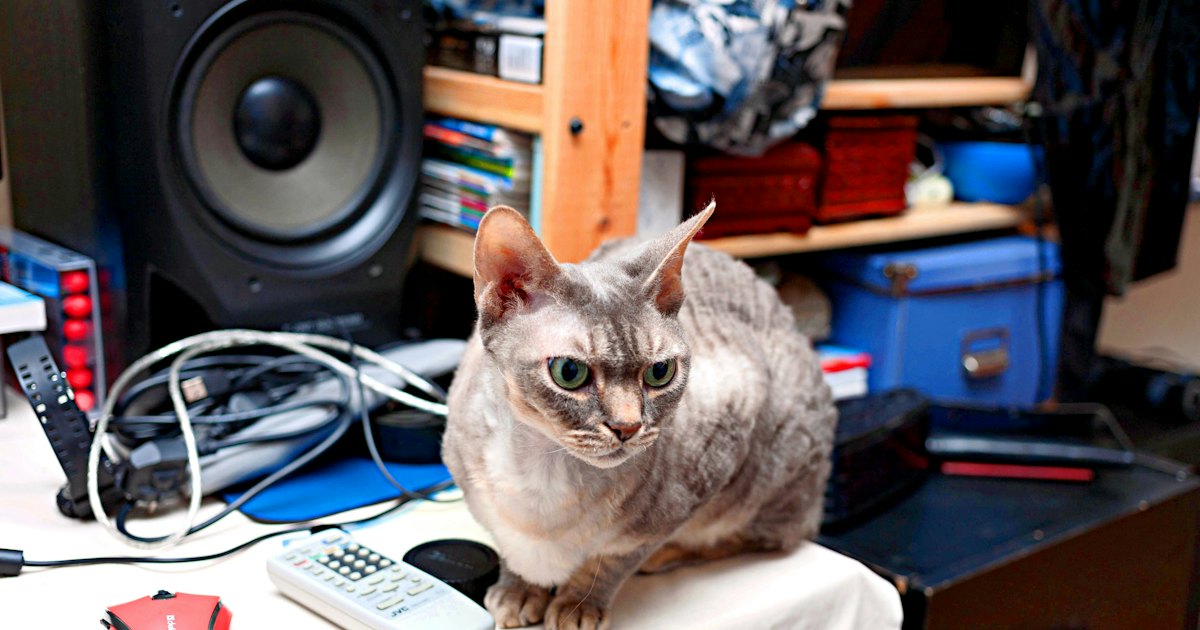
Cat communication buttons are recordable buttons that play a word — like food, play, or outside — when your cat presses them. Some cats do learn to press a button for a specific need, but results vary widely. Success depends on patient modeling, weeks of practice, and honest expectations about what a cat can say.
On this page
The idea comes from soundboard training that spread online, first with dogs and later with cats. A typical setup starts with four recordable buttons on a foam mat and grows from there. Cats are quieter learners than dogs, so progress is slower, and not every cat takes to it.
Cat Translator
What if you answered
in her own language?
Cat Translator gives you a playful answer in seconds — on the iPhone you already have.
PetTalk — Pet Translator
4.51,246+ ratingsFree


What are cat communication buttons?
Communication buttons are big, recordable buttons. You press one to record a short word, then place it where your cat can reach it. Press the button and it plays your voice back. The goal is simple output: your cat taps food and hears the word that matches a need.
These buttons grew out of a method called augmentative interspecies communication. It borrows from speech tools used with people who cannot talk. A trainer models a word by pressing the button first, long before the pet ever tries it.
Do cat communication buttons really work?
The honest answer is: sometimes, and less reliably than videos suggest. A number of cats learn to press one or two buttons that clearly map to a need, such as food or play. Far fewer build the long word chains you see in viral clips.
Cats are strong at simple association: press this, get that. What no one has proven is that a cat taps outside because it holds the word in mind the way you do. The They Can Talk research project is studying how pets use recordable soundboard buttons. The science is still young.
Treat clips online with the same caution you would give any gadget that claims to decode animals. If you mainly want to read the signals your cat already sends, start with its everyday meows and body language — see how to understand cat language.
- Can do: teach a cat to press one button for a routine need.
- Can do: cut some guesswork around food times and play.
- Cannot do: prove your cat understands words the way people do.
- Cannot do: turn a cat into a chatty conversation partner.
The 30-second candidate test
Before you buy anything, run a quick check. Buttons suit some cats far better than others, and this saves you a wasted kit.
- Is your cat food- or play-motivated? Strong motivation is the whole engine.
- Will you model a word 5 to 10 times a day for weeks? Consistency beats the kit.
- Does your cat already paw at objects? That habit transfers fast to buttons.
- Want a real conversation? Lower that hope now — buttons signal needs, not sentences.
Step 1: Set up your first button
Start with one button, not a full board. Record a single high-value word — food or play works best. Keep the clip under two seconds so the sound stays crisp and clear.
Place the button where the action happens. A food button belongs by the bowl; a play button sits near the toys. Press it yourself every single time that event occurs.
Step 2: Model the word every day
Modeling means you press the button and say the word before your cat does. Do this 5 to 10 times a day, at the exact moment the need appears. Press food right before you feed, never after.
Give it two to four weeks before you expect a paw. Cats watch far longer than they act. Never push a paw onto the button — that teaches avoidance, not meaning.
Cat Translator
Still reading about the signs?
Open Cat Translator and try a recording next time your cat talks. Free on iPhone, iOS 16 or newer.
PetTalk — Pet Translator
4.51,246+ ratingsFree
Step 3: Reward every real attempt
The first time your cat touches the button, respond instantly. If it taps food, feed a small bite within seconds. Fast, honest rewards build the link between press and result.
Reward the try, not perfection. A clumsy nose-bump still counts. If you hold out for a clean paw press, most cats give up long before they get there.
Step 4: Add words slowly
Once one button is reliable, add a second — play, outside, or pets are common next choices. Keep new buttons far apart at first so your cat does not press by accident. Add one word at a time, never three.
Six buttons is plenty for most homes. If your cat stalls, drop back to fewer buttons and rebuild. More buttons is not more communication — it is usually more confusion.
Which words to teach first
Not every word deserves a button. Start with needs your cat already signals loudly, then expand once each one is solid.
| Word | Model it when | Why start here |
|---|---|---|
| Food | Right before every meal | Highest motivation for most cats |
| Play | As you pick up a wand toy | A clear action your cat wants |
| Outside | At the door your cat watches | Only if outdoor access is safe |
| Pets | As you start a petting session | Builds a calm, positive word |
| All done | When you end an activity | Helps close a routine cleanly |
Buttons vs. reading your cat's natural sounds
Buttons train output; they do not tell you what your cat's meows and purrs already mean. Those are two different goals. Many owners actually want the second one — a read on the sounds happening right now.
That is where a sound app fits, and it helps to be clear about what one does. Cat Translator (listed on the App Store as PetTalk — Pet Translator) records a meow, purr, or chirp and gives back a short, playful line in your cat's imagined voice. It is free, needs iOS 16 or newer, and the analysis runs on your iPhone within seconds — made for fun, not diagnosis.
It will not decode a button press or replace training. Use buttons to teach signals and an app like this for a light, curious read on everyday sounds. For why 'translation' claims deserve a careful eye, the pet translator app guide makes the same point about sound gadgets.
Cat Translator
Still reading about the signs?
Open Cat Translator and try a recording next time your cat talks. Free on iPhone, iOS 16 or newer.
PetTalk — Pet Translator
4.51,246+ ratingsFree
Frequently Asked Questions
Do cat communication buttons actually work?
Some cats do learn to press a button for a clear need like food or play. Reliable, sentence-like use is rare and unproven. Buttons work best as simple signal tools, not as a way to hold a conversation. Expect one or two useful buttons, not a viral soundboard.
How long does it take to teach a cat buttons?
Plan on two to four weeks of daily modeling before your cat presses a button on its own. Some cats take months, and a few never engage at all. Model the word 5 to 10 times a day at the exact moment the need appears, and reward each attempt fast.
How many buttons should a cat have?
Start with one button and prove it works before adding more. Most homes do well with four to six buttons total. Adding many at once confuses the cat and slows progress. If your cat stalls, remove buttons rather than piling on new ones.
What words should I teach a cat first?
Teach a high-motivation word first, usually food or play. These map to needs your cat already signals every day. Add words like outside, pets, or all done only after the first button is solid. One new word at a time keeps the meaning clear.
Are cat communication buttons the same as a cat translator app?
No. Buttons teach your cat to send a signal by pressing a recorded word. A cat translator app instead listens to a meow or purr and gives a playful read of it. They solve different problems, and neither one decodes the other.
Can any cat learn to use communication buttons?
Not every cat takes to buttons. Food- or play-motivated cats that already paw at objects tend to learn fastest. Shy, low-energy, or senior cats may show no interest, and that is normal. Never force a paw onto a button; let curiosity lead the way.